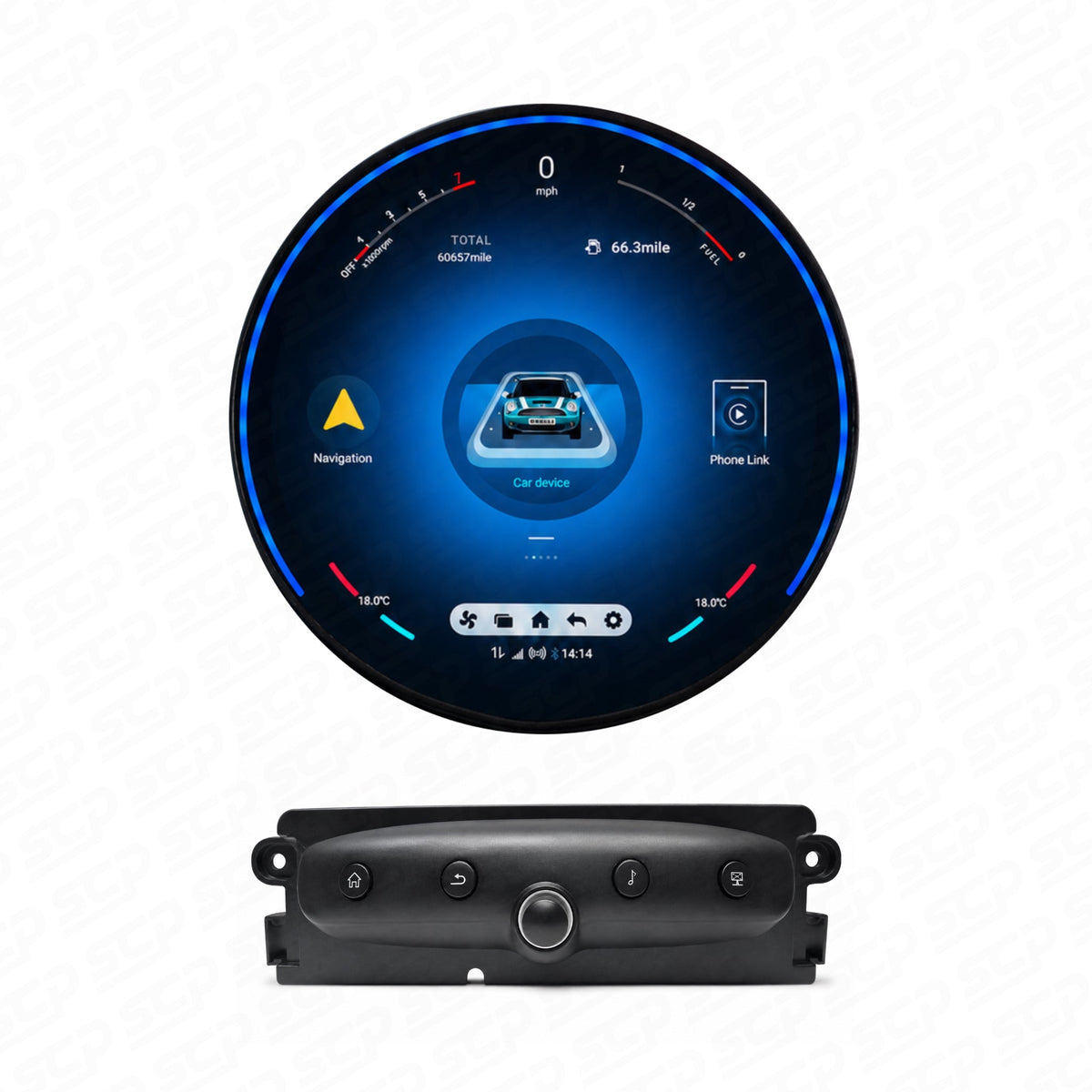

An add-on CarPlay module will not repair a damaged MINI screen or replace a faulty factory head unit. It uses the equipment already in the car. A compatible replacement system may offer a way to upgrade at the same time as replacing faulty hardware, but the right choice depends on which part has failed.
A black screen, a damaged display and an infotainment system that keeps restarting can look like variations of the same problem. They do not necessarily have the same cause. Before buying an upgrade, separate the symptom you can see from the hardware the upgrade actually replaces.
If the screen itself is damaged
The display is the part you look at. Physical damage or permanent marks will still be visible if you add CarPlay to that same panel.
Our MINI F-Series MMI retrofit box does not include a replacement screen. It is a phone-connectivity upgrade for a compatible, working original setup. It cannot remove damaged patches from the display.
If the original head unit is healthy, replacing the display may be the relevant part of the job. That still leaves a choice between a screen that works alongside the original MINI system and a complete replacement. The bigger change is not automatically the better choice for every car.
If the original system keeps rebooting
The head unit runs the infotainment system behind the screen. A display upgrade that keeps that unit still relies on it, even if the new touchscreen has a different appearance.
If a fault in the original head unit is causing restarts, keeping it in the setup can carry the problem into the upgrade. The interruptions can affect audio as well as what appears on the screen.
A system that genuinely replaces the factory head unit is a different arrangement. For a compatible car with a confirmed head-unit fault, it can remove the need to keep using that unit. That is why “new screen” and “new infotainment system” are different buying decisions.

A phone connection problem is a separate issue
A phone that will not connect does not, by itself, prove that the display or head unit has failed. If the original MINI menus, radio and screen work normally, the problem may be limited to the phone connection.
Equally, a screen that goes blank or a system that reboots is not enough evidence to identify one failed component remotely. An upgrade should not be sold as a guaranteed cure for a symptom whose cause has not been established.
What each upgrade still relies on
| Upgrade route | Equipment it still needs | What it will not solve on its own |
|---|---|---|
| MMI or BIS01 add-on module | The original display and factory head unit. | Physical display damage or a defective original head unit. |
| New display that keeps the MINI system | The original head unit, alongside the new screen. | A confirmed fault in the head unit it continues to use. |
| Complete replacement system | A compatible vehicle installation, with the replacement taking over from the original infotainment. | A fault elsewhere in the vehicle simply because it also affects the screen or audio. |
This distinction matters on products with both “Retain Original System” and “Replace Original System” choices. In plain terms, one keeps the MINI head unit in use; the other takes its place. Choosing by screen shape alone misses that difference.
Replacing faulty hardware can change familiar features
A compatible circular touchscreen replacement can bring CarPlay and Android Auto to the dashboard, but it also changes how the car’s infotainment works. The original MINI menus may no longer be available through the centre screen.
Replacement versions do not retain factory DAB. Parking sensors may work, but support is not confirmed for every head unit. Factory-camera support is also a separate compatibility question from the new unit’s ability to accept an aftermarket camera.
For a healthy original system, an add-on MMI or BIS01 module keeps factory DAB and parking sensors. A faulty unit changes that decision: preserving the original system is useful only if it is working reliably.
Our MINI upgrade guide explains these routes in more detail, including the difference between keeping the original display and keeping the original MINI system.
Common questions
Can I fit an MMI now and replace the faulty screen later?
The MMI still needs the original display to show its interface. If the screen is already damaged or unusable, adding the module first does not address that problem. The screen and head unit should be assessed before choosing the upgrade route.
Will a larger touchscreen stop my MINI rebooting?
Size alone tells you nothing about the cause of the reboot. A new display that still uses a faulty original head unit is a different product from a complete replacement. The actual configuration matters.
Can you identify the fault from a video?
A clear video can help us understand the symptoms and advise on the next step. Some faults still need an in-person inspection before the cause can be established.
Choose the upgrade around the fault
Send us your VIN, photos of the original screen and centre console, and a short video showing what happens. Tell us whether the original menus and radio still work, when the fault occurs, and whether the system has been modified before.
That lets us separate an upgrade enquiry from a fault that needs further investigation, and recommend a route based on the equipment you actually have.