
DIY fitting makes sense when you can follow the guide for your exact kit and are comfortable removing and refitting interior trim. If that work is unfamiliar—or you would rather have someone else handle it—a suitable installer is a sensible part of the upgrade budget.
The size of the interface box does not tell you the size of the job. Accessing the factory equipment and putting the cabin back together carefully can be a substantial part of the work.
Watch the fitting guide before deciding
Start with the installation guidance for the product you are considering. Look at the whole process, including access and reassembly, rather than only the moment the new unit is connected.
DIY is more likely to suit you if you can answer yes to these questions:
- Have you worked with interior trim and automotive connectors before?
- Do you understand the steps shown for this particular kit?
- Do you have the required tools, a suitable place to work and enough time to finish without rushing?
If an important step leaves you unsure, ask about it before ordering or arrange professional fitting. A guide is useful for judging the job as well as carrying it out.
What “plug-and-play” does—and does not—tell you
It generally describes the kit’s connections. There can still be panels to remove, original equipment to access, a harness to connect and extra hardware to position.
Similarly, no coding does not mean no physical installation work. A tidy result includes correctly refitted panels and cable routing, as well as a working CarPlay screen.

Allow for the complete upgrade
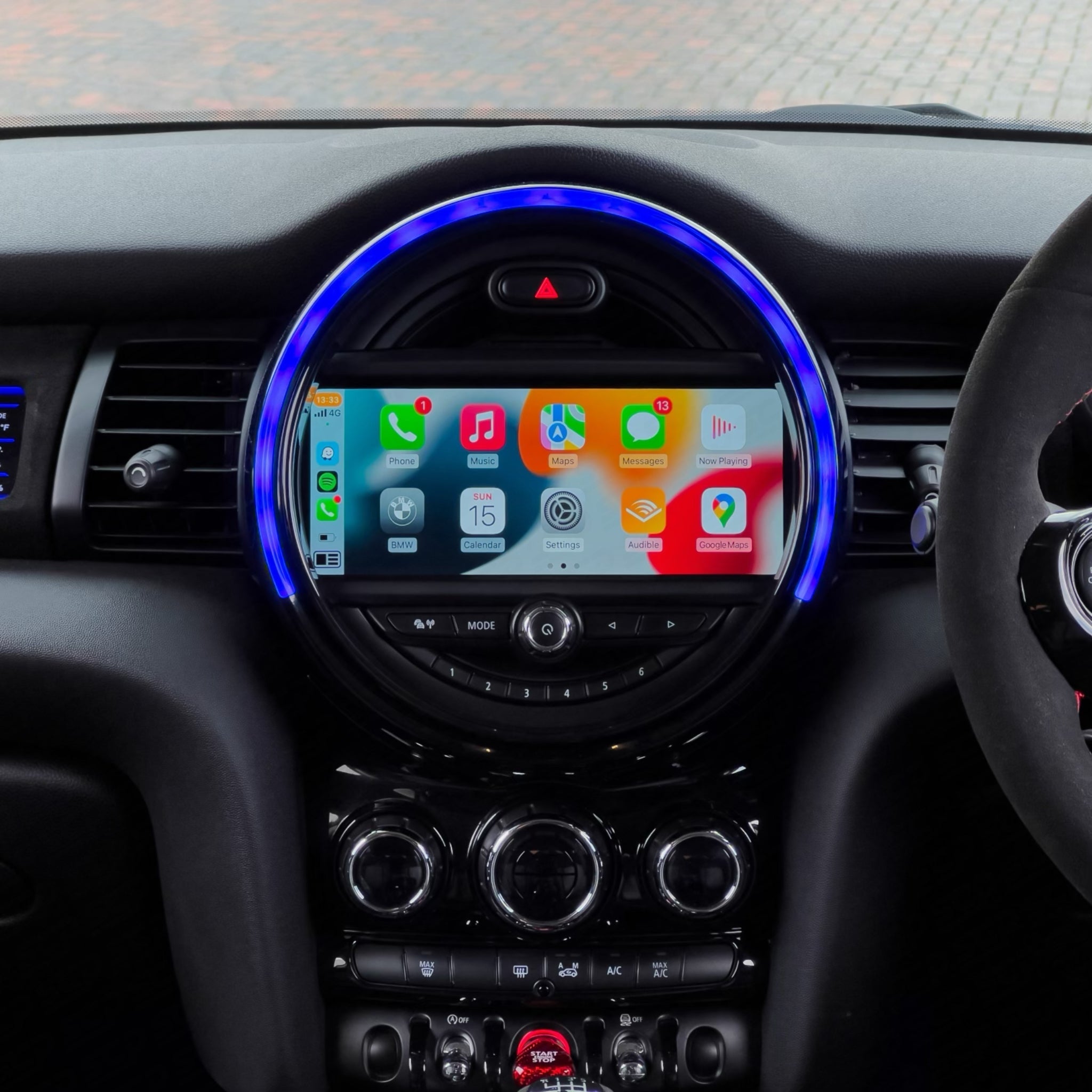
An MMI interface adds phone integration alongside a compatible original system. A BIS01 module has its own installation method. The F-Series touchscreen and F-Series circular touchscreen can involve a different panel and controls. Use the instructions for the exact kit, rather than another product with similar features.
An aftermarket reversing camera adds a separate task: mounting the camera and routing its cable through the car. Decide whether you want to take on that work too, or include it in the installer’s quote.
If equipment behind the dashboard looks different from the guide, pause and send clear photos for help. Resolve an unexpected fit before modifying parts or forcing them into position.
Choose the full kit before getting a fitting quote
For an R-Series car, compare the R-Series touchscreen and R-Series circular touchscreen before asking an installer to quote. They are separate products from the F-Series kits, with their own original-radio selections and fitting guidance.
If you want a camera, include the camera and its cable route in the same quote. If your chosen replacement loses factory DAB and you want broadcast radio, include a compatibility check for the USB DAB+ receiver and antenna installation too. These are optional requirements to agree around how you use the car, rather than accessories every installation needs.
Plan the upgrade and fitting together
 Keep the factory displayMMI phone integration for the compatible NBT or EVO system.View options
 Change to a circular displayCompare F-Series system options before arranging fitting.View options
 Include camera fittingAllow for the compatible camera, mounting and cable route.View options
 Include broadcast DABFor a compatible replacement setup when you want broadcast radio.View options
What to ask an installer
Look for suitable automotive electrical experience and familiarity with your MINI or this type of retrofit. Share the product link and fitting instructions before booking so they can assess the actual job.
Ask for a quote covering the work you want: the interface or screen, any camera and accessories, and testing after fitting. Time and cost depend on that scope, so a quote for an interface alone is not a useful comparison with a display-and-camera installation.
Check the result before calling it finished
With the car safely parked, try music, a call and navigation audio through your own phone. Check the supported controls and, where the kit retains it, access to the original MINI interface.
Test the camera if fitted, along with the original features the chosen upgrade supports. Look at the refitted trim too. Missing audio, loose panels or an unexpected loss of a supported function should be resolved as part of the job.
Keep the product details and instructions afterwards. They are useful if you change phones or need support later.
Ask us about the kit and fitting requirements if you need help deciding which installation route suits you.